Best IPTV Player for Firestick in Canada: 7 Apps Compared
Compare seven IPTV players for Firestick based on interface, EPG support, setup difficulty, remote navigation and everyday streaming performance.
Finding the best IPTV player for Firestick Canada viewers starts with understanding what the player actually does. An IPTV player does not provide television channels. It is an application used to play a compatible playlist or login information that you are authorized to access.
The best option depends on how comfortably the interface works with a Firestick remote, how clearly it displays an electronic program guide, how quickly it responds and how much configuration you want to control yourself.
This comparison focuses on ease of use, EPG functionality, Firestick performance and interface design so you can choose an app that matches your setup.
Quick Comparison
Seven different approaches, from simple beginner-friendly players to highly configurable media platforms.
| Player | Best For | EPG | Setup | Price |
|---|---|---|---|---|
| TiviMate | Best overall | Yes | Easy | Free / Premium |
| IPTV Smarters Pro | Beginners | Yes | Easy | Free* |
| Sparkle TV | Modern interface | Yes | Medium | Free / Premium |
| OTT Navigator | Customization | Yes | Medium | Free / Premium |
| XCIPTV | Simple setup | Yes | Easy | Free* |
| Kodi | Advanced users | Add-ons | Difficult | Free |
| Perfect Player | Lightweight use | Yes | Medium | Free* |
*Pricing, availability and feature limits may change. Confirm the current official listing before installing or purchasing an app.
1. TiviMate
TiviMate is one of the strongest choices for viewers who want a television-focused interface. Its layout feels natural on a large screen and puts channels, groups and programme information in a structure that works well with directional remote controls.
Favorites and EPG organization are major strengths. Instead of treating the Firestick like a large phone screen, TiviMate uses a TV-oriented layout that makes browsing channels and programme information easier from the couch.
The free version can be enough to evaluate the interface, while Premium adds additional functionality for users who want more control. Check current features and pricing before purchasing because these can change.
2. IPTV Smarters Pro
IPTV Smarters Pro is a familiar option for users who want a relatively straightforward way to enter compatible account or playlist information. Its sections are easy to understand, which can reduce the learning curve for someone configuring an IPTV player for the first time.
The interface typically separates live television, movies, series and programme-guide information into recognizable areas. Favorites and EPG functionality depend on the configuration and information available to the player.
It does not offer the same style of deep customization as some advanced alternatives, but that simplicity is precisely why many beginners may prefer it.
3. Sparkle TV
Sparkle TV is worth considering when interface design is a major priority. It takes a modern television-first approach with clear navigation and programme-guide presentation rather than relying on a layout originally designed for touch screens.
EPG and content organization make it suitable for viewers who browse live programming frequently. Remote navigation is also an important part of the experience because the application is intended for television platforms.
Free and premium functionality can differ, so confirm the current feature set before deciding whether an upgrade is useful for your setup.
4. OTT Navigator
OTT Navigator is aimed more at viewers who want to control how channels, categories and programme information are organized. That flexibility can be useful for large playlists where a basic default layout becomes difficult to navigate.
The additional options also mean that setup may take longer. Someone looking for a player that works with almost no customization may prefer a simpler alternative, while advanced users may appreciate the extra control.
Once configured to your preferences, remote navigation can be efficient because unnecessary categories and interface elements can be organized around your viewing habits.
5. XCIPTV
XCIPTV takes a relatively straightforward approach to IPTV player setup. Its interface uses familiar content categories and can be practical for users who want to add compatible login information without spending significant time adjusting the application.
EPG, favorites and content organization can be available when the required information is supplied. Navigation is generally focused on television use, making it easier to operate with a Firestick remote than applications designed primarily around touch input.
Features and distribution can vary by version, so verify the current legitimate source before installing.
6. Kodi
Kodi differs from the other options because it is a complete media-centre platform rather than only an IPTV player. Live TV and programme-guide functionality can be configured through appropriate PVR components and compatible sources.
That flexibility makes Kodi powerful, but it also makes the setup more technical. Users need to understand how the relevant components work instead of simply entering credentials into a dedicated IPTV interface.
Kodi itself is free and open-source. Use legitimate add-ons and only content sources that you are authorized to access.
7. Perfect Player
Perfect Player has traditionally focused on a relatively lightweight television interface. That can appeal to viewers who prefer basic channel and programme-guide navigation without a large number of visual features.
Its simpler approach may also be useful when working with older streaming hardware, where interface complexity and background activity can have a greater effect on responsiveness.
Because application availability and development status can change, verify that any version you consider is current and comes from a trusted source.
How to Choose an IPTV Player
The best IPTV player for Firestick Canada viewers should fit the hardware, login format and viewing habits they actually use rather than simply having the longest feature list.
Start with your exact Fire TV device. Software compatibility, performance and app availability can differ between device generations and operating-system versions.
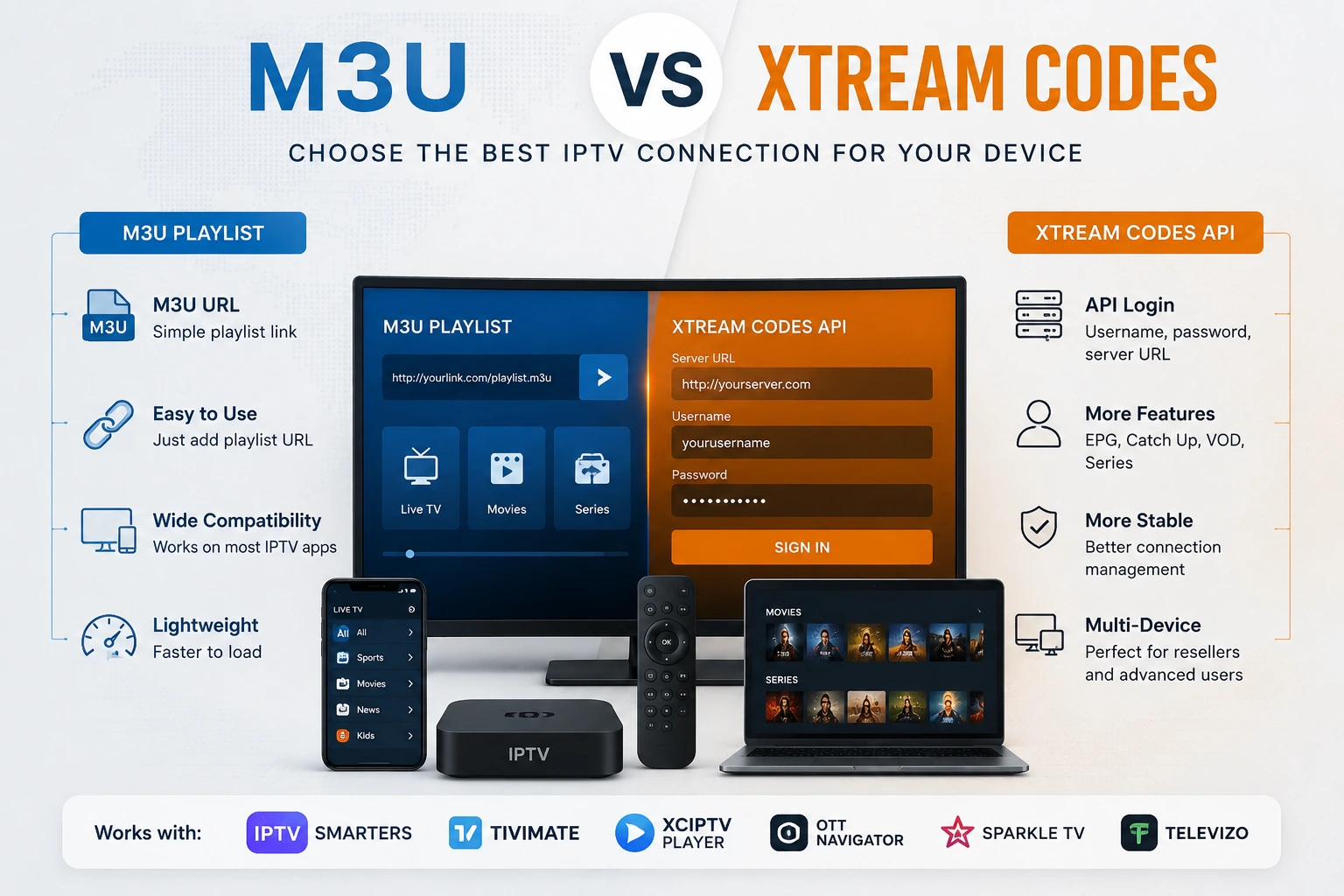
Confirm that the player supports the authorized playlist or login format you use.
A clear electronic program guide makes live television much easier to browse with a remote.
Test category changes, channel switching and remote responsiveness before deciding which interface feels best.
Consider multi-screen only when your hardware, connection and authorized account support the viewing pattern you need.
Useful for households that want to restrict selected content categories or protect settings.
Prefer actively maintained software with a legitimate source, current updates and clear support information.
How to Install an IPTV Player on Firestick
Start with the Amazon Appstore whenever the application is officially available there. If an application requires another installation method, verify its legitimate developer source and avoid unknown APK repositories.
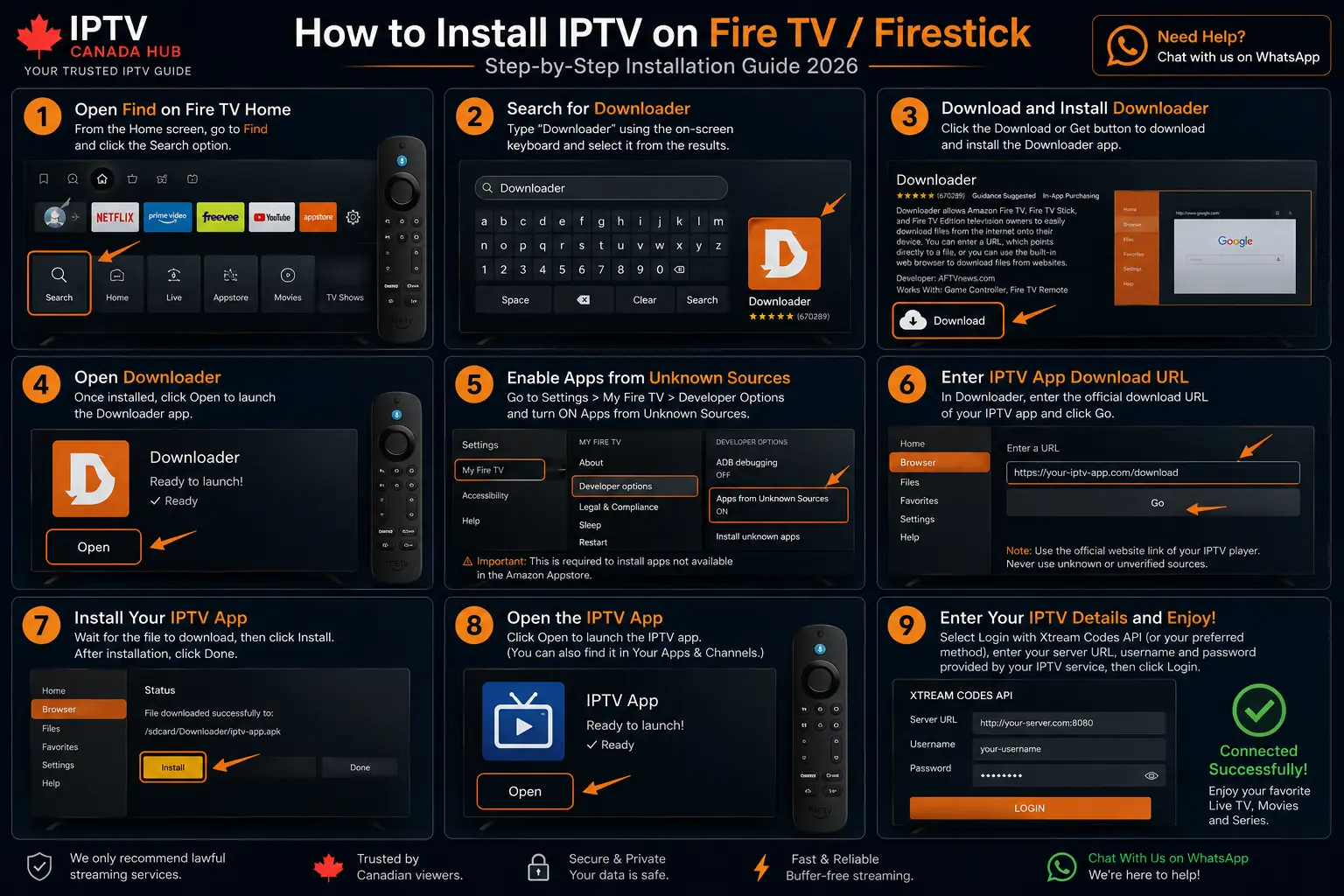
Search for the player from your Fire TV device and install it from the official app listing when it is available.
If sideloading is required and supported on your device, use only information and installation files from the legitimate application developer.
Do not install modified applications or APK packages from random third-party repositories that you cannot verify.
Open the application and enter only the playlist or login information associated with content you are authorized to access.
Load programme-guide information where supported and test several streams to make sure navigation and playback work properly on your Firestick.
Firestick Performance Tips
Common IPTV Player Problems on Firestick
Restart the player and Firestick, check available storage and clear the application cache when appropriate.
Refresh available guide data and confirm that the Firestick timezone and player configuration are correct.
Recheck the playlist address or login information and confirm that the selected player supports the required format.
Test another stream and available playback settings before assuming that the entire setup has an audio-sync problem.
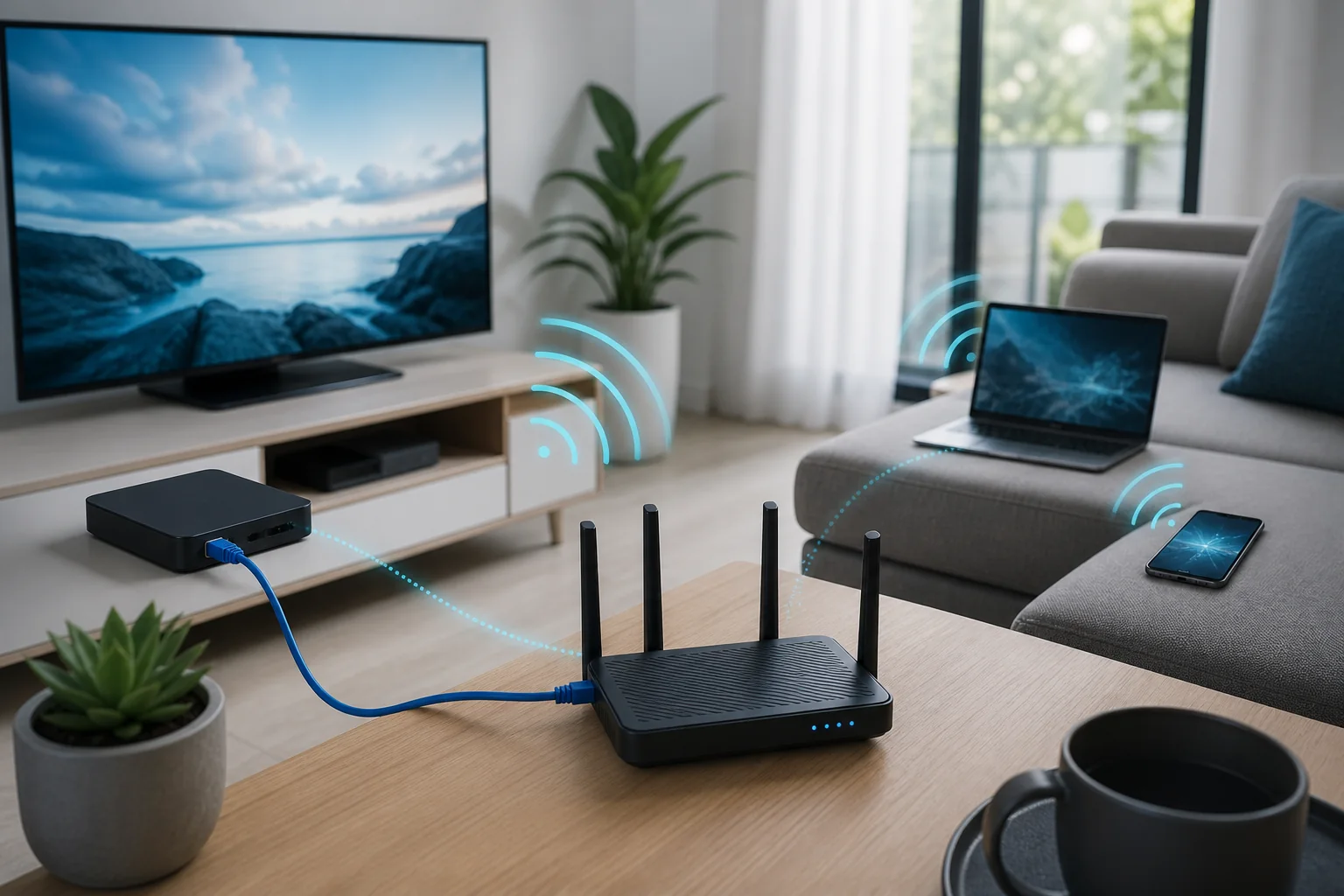
Compare evening network performance with daytime results and test Ethernet when practical to isolate Wi-Fi issues.
Feature-heavy applications can expose memory, storage and processor limitations on older Fire TV hardware.
Best IPTV Player for Firestick Canada FAQ
What is the best IPTV player for Firestick in Canada?
TiviMate is a strong overall choice for users who prioritize a polished television interface, EPG organization and remote-friendly navigation. IPTV Smarters Pro may be easier for beginners, while OTT Navigator provides more customization.
Are IPTV player apps legal in Canada?
IPTV player applications are software tools and do not automatically include television channels. Users should only access playlists, accounts and content they are authorized to use.
Does an IPTV player include channels?
No. An IPTV player normally acts as an interface for compatible playlist or login information. Installing the application itself does not create a television subscription.
Can I use an M3U playlist on Firestick?
Yes, when the IPTV player installed on the Firestick supports the M3U format. Enter only playlist information that you are authorized to use.
How much internet speed does Firestick streaming need?
There is no single requirement for every stream because video bitrate, resolution and compression vary. Higher-quality video generally needs more bandwidth and greater connection stability. Test the actual Firestick connection rather than relying only on the advertised maximum speed of your internet plan.
Which IPTV Player Should You Choose?
For most people searching for the best IPTV player for Firestick Canada, TiviMate offers the strongest overall combination of TV-focused design, EPG organization and remote navigation.
That does not make it the best option for every user. IPTV Smarters Pro is easier for beginners, OTT Navigator is better suited to viewers who want extensive customization, and Kodi remains the more flexible choice for technically experienced users who want a broader media-centre environment.
Test the Player on Your Own Firestick.
Compare compatible hardware first, or use a 24-hour trial to test your player, home internet connection and everyday viewing setup before choosing a longer plan.